
Download Windows 11 Debloater – Windows 11 cleanup, remove bloatware, disable apps, system optimization, performance boost, customize Windows 11, Windows 11 tweaks
Overview
Windows 11 Debloater is a system utility designed to enhance the user experience on Windows 11 by streamlining the operating system through targeted modifications. The app enables users to disable or remove pre-installed applications and features that are often considered unnecessary or resource-intensive. By simplifying the system environment, it helps improve performance, reduce clutter, and allow greater customization. This tool is particularly beneficial for users who prefer a leaner, more personalized operating system without the complexity of manual registry edits or third-party tools.
Target users include tech-savvy individuals, system administrators, and everyday users seeking a cleaner, faster Windows 11 experience. The app is especially useful for those who find the default Windows 11 setup overly bloated with unused apps and background services. Real-world use cases include preparing a new PC for personal or professional use, optimizing an older machine for better responsiveness, or tailoring the OS to suit specific workflows. The developer, Joe C. Jones, has positioned this tool as a safe and reversible method to declutter the system, aligning with the growing demand for user control and system transparency.
Within the broader app ecosystem, Windows 11 Debloater fills a niche for lightweight, focused utilities that empower users without requiring advanced technical knowledge. It complements other system optimization tools but stands out due to its emphasis on reversibility and ease of use. The developer did not provide additional technical details about the app’s architecture or underlying scripts, but the core functionality is clearly centered on user-driven system customization and performance tuning.
Key Features & Functionality
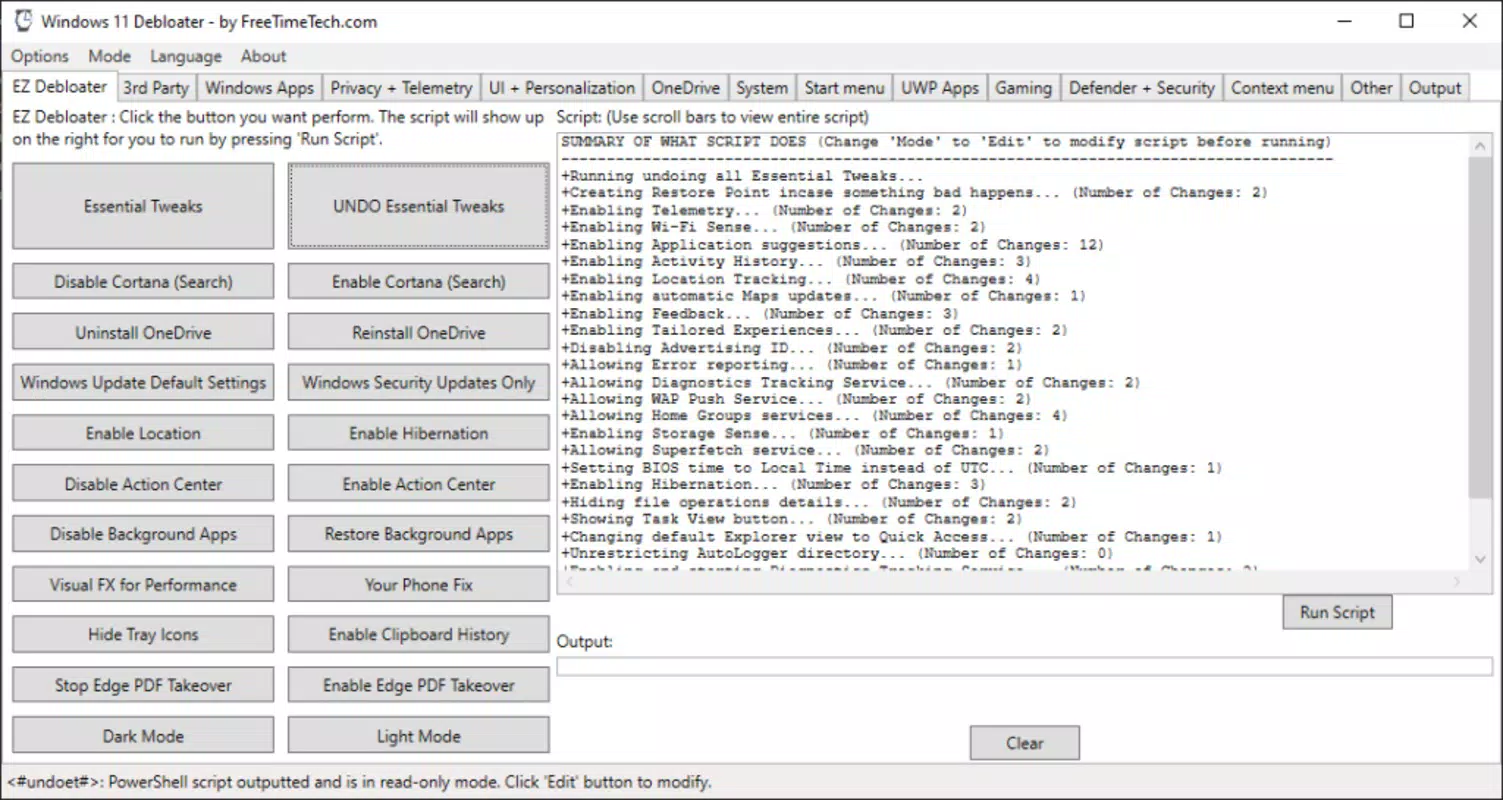
- EZ Debloater Tab: This feature allows users to execute commonly used scripts with a single click. It simplifies the process of disabling unwanted applications or features, making it accessible even to beginners. For example, a user can quickly disable Microsoft Movies & TV or Xbox apps with one tap, reducing visual clutter and freeing up system resources.
- Script Flexibility: Changes made through the tool are not permanent. Users can revert any modification with a single click, ensuring that no action is irreversible. This is particularly valuable for users who want to experiment with system settings without the risk of breaking their OS configuration.
- Performance Tweaks: The Essential Tweaks script includes a series of adjustments aimed at improving system responsiveness and efficiency. These may include disabling background processes, reducing visual effects, or optimizing startup programs. While specific technical details were not provided, the cumulative effect of these tweaks can lead to faster boot times and smoother operation.
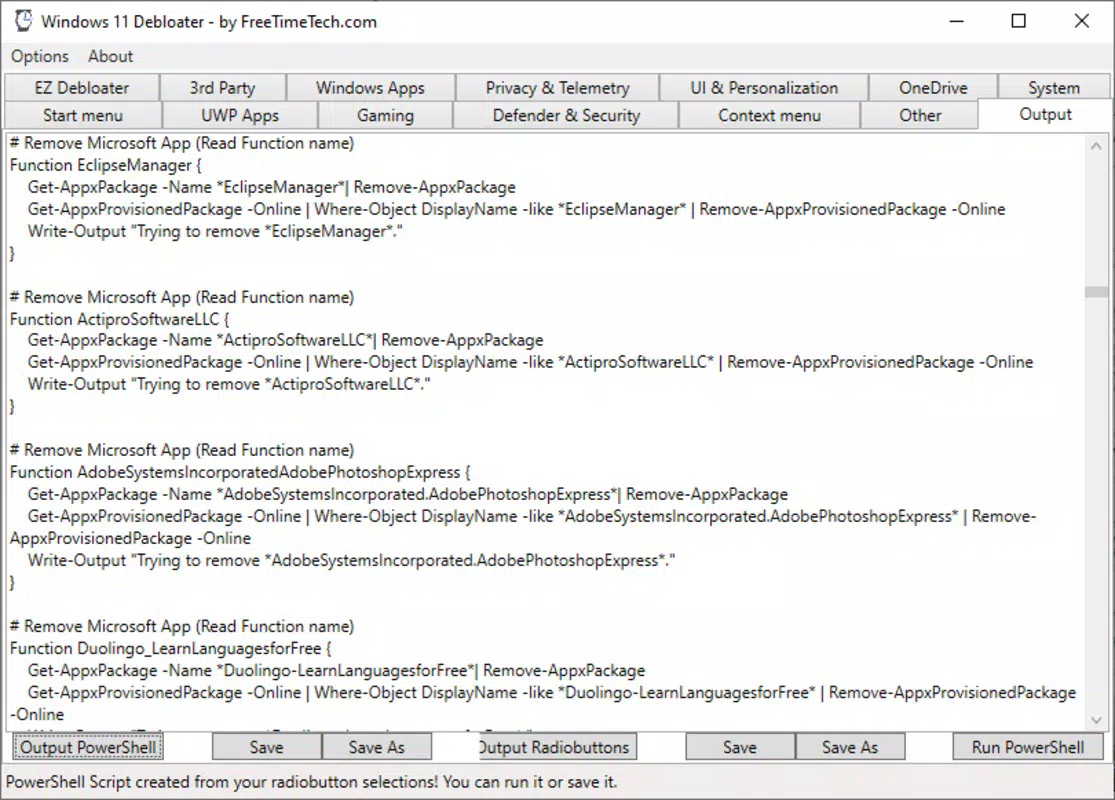
- Application Management: Users can uninstall a wide range of pre-installed applications with minimal effort. This feature is ideal for removing bloatware such as Candy Crush, Skype, or other bundled software that users may never use. The process is streamlined through batch operations, saving time compared to manual removal.
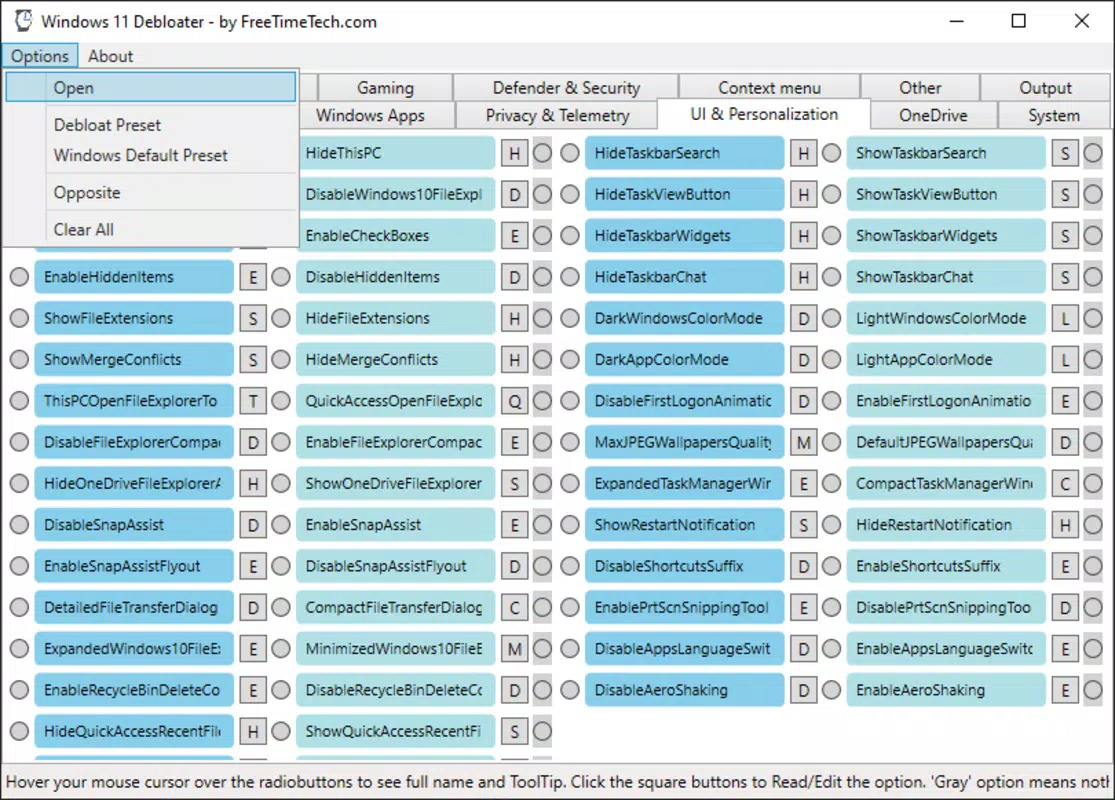
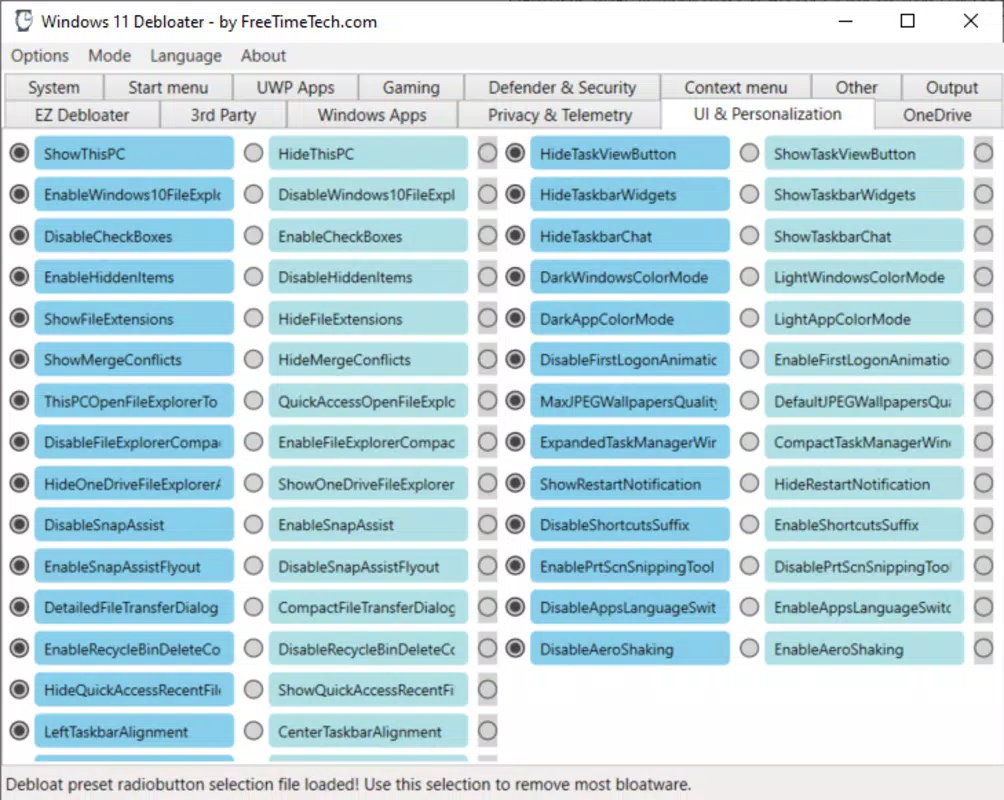
- Interface Customization: The tool offers options to modify the Windows 11 interface, including changes to taskbar behavior, Start menu layout, and visual themes. This allows users to tailor the desktop environment to their preferences, enhancing both usability and personalization.
Each feature is designed to serve practical, real-world needs. For instance, a student setting up a new laptop might use the app to remove gaming apps and disable telemetry services, while a business user could leverage it to standardize a fleet of devices with a clean, distraction-free interface.
Interface, UX & Performance
The user interface of Windows 11 Debloater is structured around simplicity and direct access to core functions. The main dashboard features clearly labeled tabs and buttons, minimizing cognitive load and enabling efficient navigation. Visual design is minimalistic, focusing on functionality rather than decorative elements, which aligns with the tool’s purpose as a system utility.
Navigational flow is linear and intuitive. Users can access the EZ Debloater tab, select a script, and execute it with one click. The interface also includes confirmation prompts to prevent accidental changes, enhancing safety during use. Although the developer did not list formal performance metrics, the tool’s lightweight nature—only 12.3 MB in size—suggests minimal impact on system resources during operation.
Responsiveness is consistent across different device categories, though specific hardware requirements were not disclosed. Stability appears reliable, as the tool operates without requiring a reboot for most actions and maintains session state during execution. The absence of crash reports or error logs in public documentation indicates a stable runtime environment. However, the developer did not provide detailed information on compatibility with older Windows 11 versions or enterprise environments.
Platform Compatibility & Technical Requirements
Windows 11 Debloater is designed for the Windows platform and is compatible with Windows 11 operating systems. The current version is 1.2.0, released on February 12, 2025. The app has a file size of 12.3 MB, indicating a compact and efficient distribution package.
Specific requirements such as minimum OS build, processor architecture, or RAM were not listed by the developer. The tool does not appear to require administrative privileges during installation, but it may request them during execution to modify system-level settings. The developer did not specify whether the app supports older Windows versions or alternative architectures like ARM64. Compatibility information was not fully disclosed.
Pros and Cons
Pros
- Free to download and use, making it accessible to all users.
- Reversible changes ensure user safety and reduce risk of system instability.
- Simple, one-click execution of common scripts improves usability for beginners.
- Lightweight design with minimal system footprint.
- Supports removal of pre-installed bloatware without permanent uninstallation.
Cons
- Developer did not provide detailed technical specifications or compatibility requirements.
- Specific performance impact metrics were not disclosed.
- No official support for Windows 10 or older systems.
- Interface lacks advanced customization options for power users.
- Updates and future development plans were not publicly outlined.
FAQ
Is Windows 11 Debloater safe to use?
Yes, the tool is designed to make reversible changes. All modifications can be undone with a single click, minimizing the risk of permanent system damage.
Can I use this tool on Windows 10?
The developer did not specify support for Windows 10. The app is officially intended for Windows 11.
Do I need admin rights to run it?
While not explicitly stated, the tool likely requires administrative privileges to modify system settings, which are typically requested during execution.
Will this app remove my personal files?
No. Windows 11 Debloater only affects system applications and settings. It does not access or delete user data, documents, or personal folders.
How often should I update the app?
It is recommended to check for updates regularly, especially after major Windows 11 updates, to ensure compatibility and access to new features.
Final Thoughts
Windows 11 Debloater offers a straightforward, risk-mitigated approach to system optimization and personalization. Its emphasis on reversibility, ease of use, and lightweight design makes it a compelling choice for users seeking to streamline their Windows 11 environment. Whether you're setting up a new device, improving system performance, or simply removing unwanted apps, this tool delivers tangible benefits without requiring technical expertise.
While some details such as compatibility, performance metrics, and future updates remain unspecified, the app’s core functionality is clear and well-executed. For users who value control, speed, and a clean interface, Windows 11 Debloater stands out as a reliable utility. It is particularly suited for students, professionals, and home users aiming to maximize their system’s potential.
Download Windows 11 Debloater now


